 MicPlot
Plan every mic before you load in.
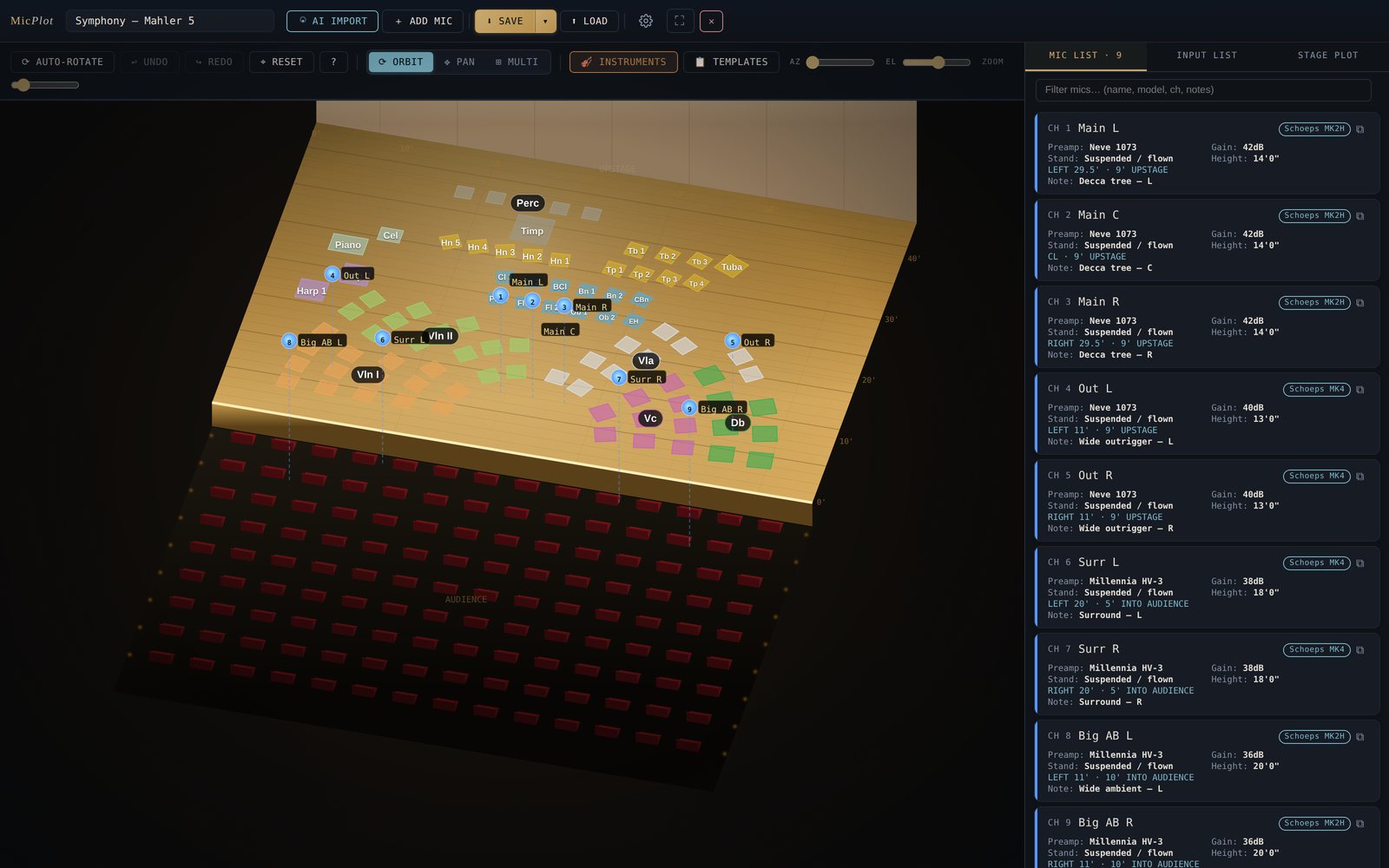
Seat the orchestra, hang the tree and set every stand and height in 3D. Then print the mic plot, input list and stage plot your crew works from.
Runs in your browser with no account, and keeps working offline once it's loaded.
Made by Brian Losch, an orchestral recording engineer, for the setups he plans every season.
From seating chart to rigged stage in one place
Most mic plots get redrawn from scratch for every hall. MicPlot keeps the orchestra, the stands and the paperwork in one session you can reuse.
Seat the ensemble
Start from American or antiphonal seating, a chamber orchestra or string orchestra, then drag players, risers and gobos to match the stage.
Place the mics
Tree, outriggers, spots and room pairs, each with model, stand, height, preamp and gain. Duplicate a mic and its L/R twin mirrors across the centre line.
Print the paperwork
A dimensioned mic plot, channel list, input list and stage plot, to PDF or straight to the printer.
Printouts your crew can rig from
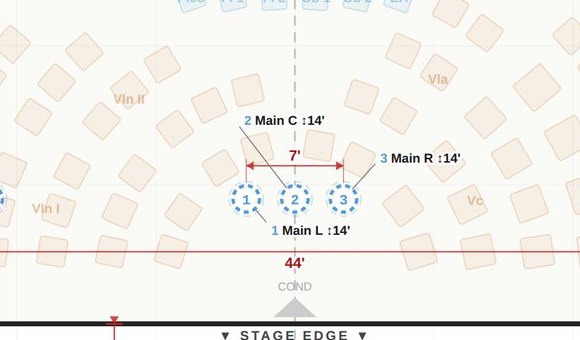
Every distance is measured from the centre line and the stage edge, in feet and inches or metres. Pairs, spacing and heights are called out, so nobody has to guess from a sketch.
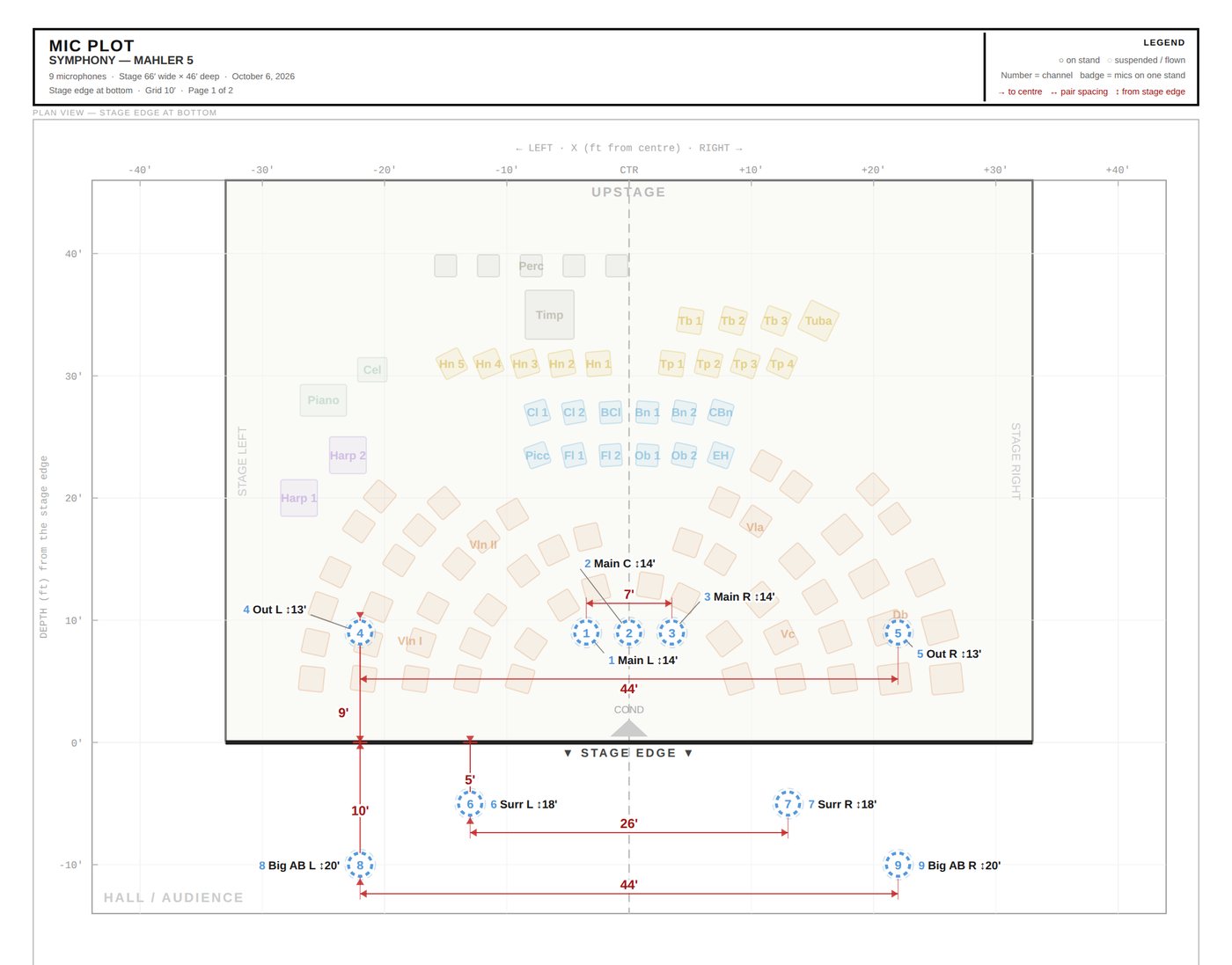
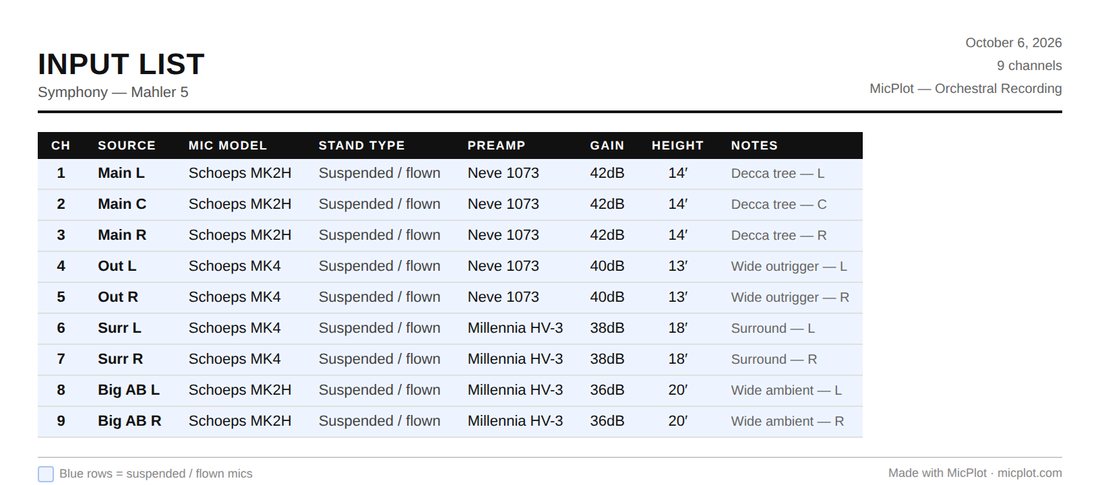
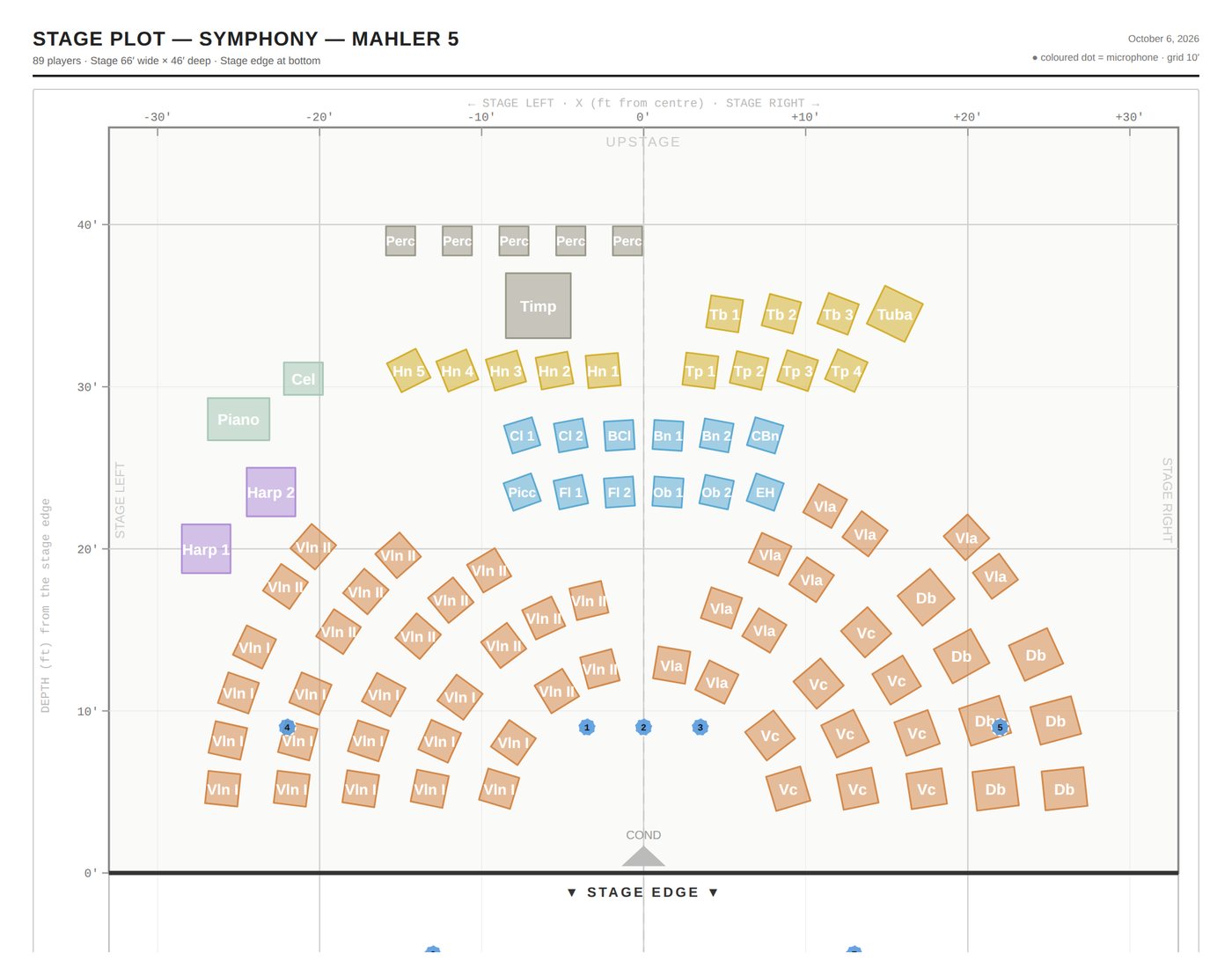
Distances you can measureLeft or right of centre and upstage or downstage of the stage edge, the way a crew paces it out.
Studio or concert hallA studio floor with a front line, or a hall stage with the audience in front. The wording on the prints follows the room.
Feet or metresSwitch units any time; plots and lists follow.
Start from what you already have
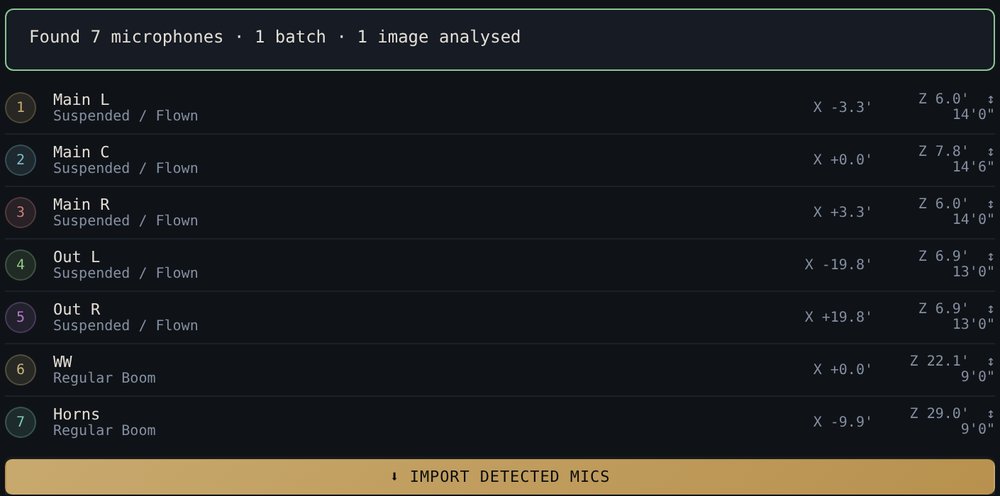
Drop in a photo of last season's rig, a hand-drawn plot or the orchestra's input list. AI import reads the microphones, positions and heights and builds a session you can check and adjust.
- Stage photos and video frames
- Input lists and mic plots as PDF, scan or phone photo, iPhone HEIC included
- Hand-drawn sketches on the back of a setlist
AI import is part of Pro, which you can try free for 7 days. Every free device also gets a small monthly allowance.
Works backstage, offline
Once it's loaded, MicPlot runs with no signal. Install it to your dock or home screen and it opens like any other app.
Your sessions stay yours
Sessions are saved on your device. Export a JSON backup, or a single HTML file that opens straight back into the session.
Nothing leaves the device unless you ask
There are no accounts and no tracking of your sessions. Only the images you choose for AI import are sent, when you press Analyse.
Mac, Windows, iPad, iPhone, Android
Any current browser. A laptop or tablet is best for building a plot; a phone is fine for checking one on the gig.
Plot for free. Pay for AI import.
Everything you need to build and print a session is free. Pro is for engineers who import setups from photos and documents every week.
Free
$0
No account, no time limit
- 3D stage, seating templates, risers and gobos
- Unlimited mics and sessions
- Mic plot, channel list, input list and stage plot prints
- Works offline and installs as an app
- 20 AI import units a month to try it
Pro
$12 a month
or $99 a year, which saves 31%. Free for the first 7 days.
- Everything in Free
- 400 AI import units a month, about 100 imports
- Use it on up to 3 of your devices
- Prints without the "Made with MicPlot" line
- Cancel any time, refund within 14 days
The trial needs a card, and you're charged only if you keep Pro past day 7. Teaching or studying recording? Email brian.losch@gmail.com from your school address and you'll get 40% off Pro. Prices in US dollars; sales tax or VAT is added at checkout where it applies.
Questions
Do I need an account?
No. Open MicPlot and start plotting. Your sessions are saved in your browser on that device, and you can export them as files. Pro is tied to the device you buy it on, and you can add it to up to 3 devices with a short link code from Settings.
What counts as an AI import unit?
Each AI request costs one unit, plus one for every image or document it includes. Importing an input list and a mic plot together uses about 4 units; a batch of six stage photos uses about 7. Free devices get 20 units a month and Pro gets 400. Allowances reset on the first of the month.
Does it work without internet?
Yes. After the first visit, everything except AI import works offline. Install it from the browser (the Install app link in the footer of the app walks you through it) and it opens like a normal app.
Where do my sessions and photos go?
Sessions never leave your device. When you use AI import, only the photos or documents you added are sent, through MicPlot's relay, to Anthropic's Claude for analysis; they aren't stored by MicPlot. The privacy policy has the details.
Can I use my own Anthropic API key instead?
Yes. In Settings you can switch AI import to your own key, which is billed by Anthropic and sent straight from your device. Plotting stays free either way.
How do I cancel or get a refund?
Pro starts with a 7-day free trial; cancel before it ends and you pay nothing. After that, cancel any time from the link in your receipt email or in Settings, and keep Pro until the end of the period you paid for. Ask within 14 days of a payment for a full refund. Payments are handled by Paddle.com, our reseller. See the refund policy.
Is it only for orchestras?
It's built around orchestral seating and classical mic technique, but any acoustic ensemble works: choirs, chamber groups, big bands and film scoring sessions. Live and broadcast engineers can use the same plots for their own planning.